
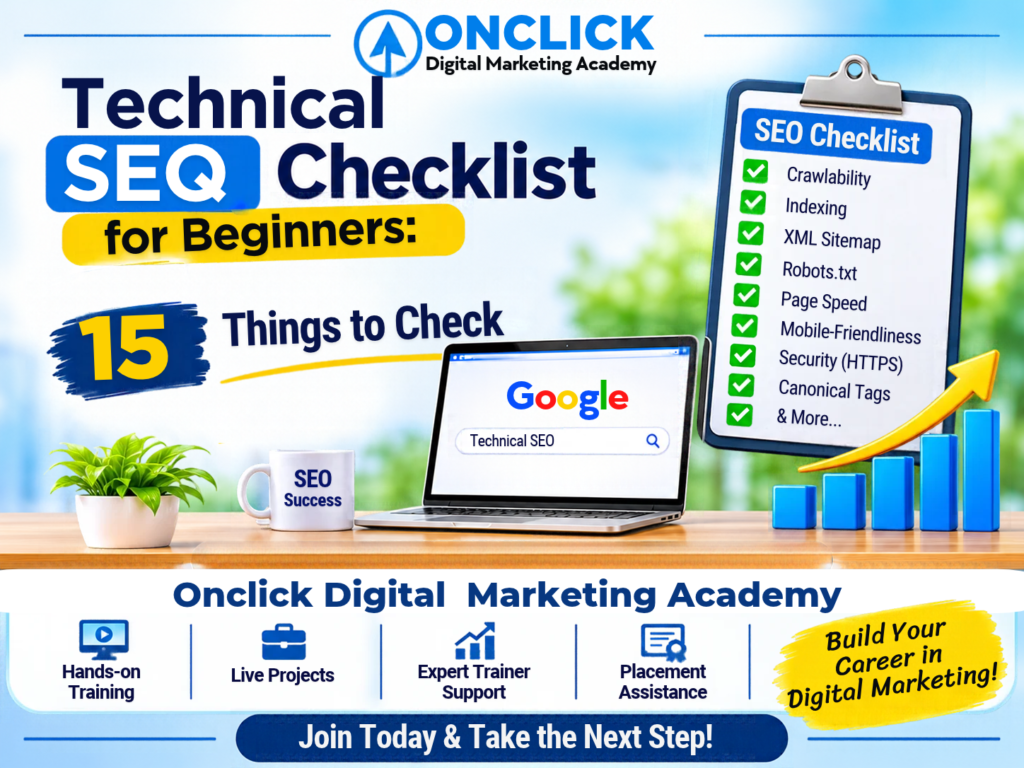
Technical SEO Checklist for Beginners: 15 Things to Check
Technical SEO Checklist for Beginners: 15 Things to Check SEO publishing details SEO Title Technical SEO Checklist for Beginners: 15 Things to Check | OnClick
SEO publishing details
SEO Title | Technical SEO Checklist for Beginners: 15 Things to Check | OnClick Hyderabad |
Meta description | Use this technical SEO checklist to find crawlability, speed, mobile, security, and indexing issues before they limit your website’s visibility in Google search and local results. |
Suggested URL slug | technical-seo-checklist-for-beginners |
Primary keyword | technical SEO checklist |
Secondary keywords | technical SEO basics; website SEO audit; SEO errors |
LSI and semantic keywords | crawlability; indexability; XML sitemap; robots.txt; canonical tags; Core Web Vitals; mobile-first indexing; HTTPS; redirects; broken links; structured data; duplicate content; Google Search Console; page speed; website security |
Technical SEO can sound complicated when you are just starting. You may be wondering whether Google can crawl your site, why pages are not appearing in search, or which SEO errors deserve attention first. This technical SEO checklist gives beginners, small-business owners, marketers, and aspiring SEO professionals a practical starting point.
You will learn how to check the technical SEO basics that support visibility, including crawlability, indexability, mobile usability, page speed, security, links, and structured data. The examples also show how a local business serving customers in Hyderabad can approach a website SEO audit without getting lost in jargon.
Featured-snippet answer: A technical SEO checklist should include checks for crawlability, robots.txt, XML sitemaps, indexability, noindex directives, canonical tags, HTTPS and website security, mobile usability, Core Web Vitals, URL structure, redirects, 404 errors, internal links, duplicate content, structured data, and Google Search Console monitoring. |
Why this matters: Technical SEO helps search engines access, understand, and safely store your pages. It does not replace useful content or a strong local marketing strategy, but it removes avoidable obstacles that can prevent good pages from being discovered and displayed.
SEO area | Main focus | Typical examples |
Technical SEO | Making a site accessible, understandable, fast, secure, and easy to navigate | Crawlability, indexing, redirects, mobile usability, Core Web Vitals, structured data |
On-page SEO | Improving the content and page elements for people and search engines | Search intent, headings, title tags, internal relevance, helpful copy, image alt text |
Off-page SEO | Building trust and authority beyond your own website | Relevant mentions, digital PR, citations, reviews, and earned links |
Technical SEO is often the best place to begin because a page cannot perform well if it cannot be crawled, indexed, loaded, or used comfortably. Once the foundations are sound, improve the content and build authority responsibly.
Work through these checks in order. The sequence moves from discovery and indexing to user experience, site structure, and monitoring. You do not need expensive software to begin; Google Search Console, a browser, and a careful review of your most important pages can reveal a great deal.
Search engines use crawlers to discover pages by following links and reading your site’s technical signals. Confirm that key pages such as your home page, service pages, product pages, contact page, and useful location pages can be reached without a login or a confusing chain of clicks.
How to check: Open important pages in a private browser window and review the URL Inspection tool in Google Search Console. Check that your navigation and internal links lead to the pages you want discovered.
The robots.txt file gives crawlers instructions about which paths they may request. It is useful for reducing unnecessary crawling, but it is not a security tool and it does not reliably remove a page from Google’s index.
How to check: Visit your domain followed by /robots.txt and look for accidental disallow rules. A small business website might reasonably block private account areas while allowing public service pages.
An XML sitemap lists important URLs and helps search engines discover them efficiently. It should contain canonical, indexable pages that return a successful status, not every URL your system happens to generate.
How to check: Find the sitemap in your content management system or SEO plugin, inspect a sample of its URLs, and submit its location through Google Search Console. Keep it updated when pages are added, removed, or redirected.
Crawlability asks whether a search engine can access a page. Indexability asks whether the page is eligible to be stored and shown in search results. A page may be crawlable but still excluded because of a directive, duplicate signals, a technical response, or a quality decision.
How to check: Use URL Inspection in Google Search Console for priority pages and review the indexing status. Compare the live test with the page’s intended status rather than assuming that a submitted URL is automatically indexed.
The noindex directive tells search engines not to include a page in their index. It can be appropriate for thank-you pages, internal search results, duplicate filters, or private content, but it is harmful when placed on a page that should attract visitors.
How to check: Inspect the page source or your SEO plugin settings for a noindex instruction. Review templates, staging-to-live migrations, and page-level settings, especially after a redesign.
Canonical tags help identify the preferred version when similar URLs contain substantially the same content. They are useful for tracking parameters, printer-friendly pages, or variations created by filters, but they are signals rather than commands that guarantee one URL will be selected.
How to check: View the canonical tag on important pages and confirm that it points to the correct live, indexable URL. Make sure the canonical URL uses the preferred protocol and domain format.
Different business goals require different types of email campaigns.
Promotional emails are used to communicate offers, products, services, events, or special campaigns.
For example, an education company might announce a new batch or workshop.
Core Web Vitals measure aspects of real-world page experience, including loading performance, visual stability, and interaction responsiveness. Faster pages are not automatically better pages, but slow templates can frustrate visitors and make it harder for them to contact a business.
How to check: Use PageSpeed Insights and Google Search Console’s page experience reports. Compress oversized images, reduce unnecessary scripts, improve hosting or caching where appropriate, and retest after each meaningful change.
Clear URLs help people understand where they are and help search engines interpret site organisation. Use short, descriptive paths that reflect the page’s topic, such as /digital-marketing-course/ rather than a string of unexplained numbers and parameters.
How to check: Review your main navigation, category paths, and future publishing conventions. Use lowercase words, hyphens, and stable naming. Change an established URL only when there is a clear benefit, because every change requires careful redirects.
Redirects guide visitors and crawlers from an old URL to the relevant new one. A 301 redirect is normally used when a page has moved permanently. A helpful 404 page is appropriate when content is genuinely unavailable, but important links should not lead there by accident.
How to check: Review pages that changed during a redesign, test old links from marketing materials, and look for redirect chains or loops. Update internal links to point directly to the final destination.
Internal links help visitors move through your site and help crawlers discover related pages. Link from established, relevant pages to priority services, resources, courses, or contact pages using natural descriptive text.
How to check: Choose one important page and follow its links as a visitor would. Test links in menus, footers, articles, images, and calls to action. Fix links that return errors, point to irrelevant destinations, or require several unnecessary clicks.
Duplicate content occurs when substantially similar material is available at multiple URLs. It is not automatically a penalty, but it can make it harder for search engines to decide which version to show and can waste crawling resources.
How to check: Compare similar location, service, category, and parameter URLs. Combine pages that serve the same purpose, improve genuinely different pages, or use appropriate canonical and redirect signals where needed.
Structured data is machine-readable information that can help search engines understand entities such as an organisation, course, article, event, or local business. It may support enhanced search features, but it does not guarantee a rich result or higher rankings.
How to check: Use relevant Schema.org vocabulary, keep the markup consistent with visible page content, and validate it with available testing tools. Follow Google’s documentation rather than adding every schema type available.
Google Search Console is one of the most useful free tools for ongoing technical SEO. It can reveal indexing exclusions, sitemap issues, security problems, mobile concerns, manual actions, and performance trends for search queries and pages.
How to check: Verify the correct property, review the Pages and Sitemaps reports, inspect important URLs, and check for security or manual-action notices. Record meaningful changes so you can connect technical work with later results without claiming that one change caused every improvement.
Start with the pages that matter most: your home page, main service or product pages, strongest educational resources, and contact or enquiry pages. This keeps a first website SEO audit focused and prevents a long list of minor issues from distracting you from problems that affect real customers.
Fix first Security warnings, widespread noindex or robots.txt problems, inaccessible priority pages, major mobile failures, broken enquiry journeys, and redirect loops. | Fix next Sitemap clean-up, canonical inconsistencies, broken internal links, duplicate page consolidation, slow templates, and missing structured data where it is genuinely relevant. |
For a small business in Hyderabad, a clear service page that loads reliably and makes it easy to enquire is usually more valuable than spending hours on a low-priority warning affecting an obscure URL. If you are not comfortable changing server settings, redirects, or security controls, document the issue and ask a qualified developer to review it.
A useful checklist should cover crawlability, robots.txt, XML sitemaps, indexability, noindex directives, canonical tags, HTTPS, mobile usability, Core Web Vitals, URL structure, redirects, 404 errors, internal links, duplicate content, structured data, and Google Search Console monitoring. These checks help confirm that search engines and visitors can access and understand important pages.
Review the basics after a redesign, migration, domain change, or major template update. For an active website, check Google Search Console regularly and schedule a broader review every few months. The right frequency depends on how often your site changes and how important organic search is to your business.
Technical SEO can remove barriers that prevent pages from being crawled, indexed, or used comfortably. It cannot replace helpful content, relevant on-page optimisation, or credible off-page signals. Think of it as a foundation: necessary for a healthy site, but not a guarantee of a particular ranking.
Crawlability describes whether search engine crawlers can access and follow a page. Indexability describes whether that page is eligible to be stored and shown in search results. A page can be crawlable but excluded because of a noindex directive, canonical signal, duplicate content, technical response, or another indexing decision.
Yes. A technically sound website helps local visitors find useful information, use the site on mobile devices, trust forms and payment areas, and complete an enquiry. Technical SEO should be combined with accurate business information, useful local content, and a clear local SEO strategy.
Do not try to fix everything at once. Export or record the issues, group them by cause, and prioritise security, accessibility, indexing, mobile experience, and conversion-critical pages. Fix one template or root cause at a time, then retest representative URLs and monitor Google Search Console for changes.
Understanding technical SEO is an important step towards becoming a skilled digital marketer. However, knowing the concepts alone is not enough. To build a successful career in digital marketing, students need practical experience in website optimisation, keyword research, search engine algorithms, content marketing, online advertising and performance analysis.
Onclick Digital Marketing Academy in Hyderabad helps aspiring digital marketers develop industry-relevant skills through practical training, live projects and hands-on learning.
Whether you are a beginner exploring digital marketing or a professional looking to upgrade your SEO skills, learning through practical projects can help you understand how digital marketing works in real business environments.
Our digital marketing training is suitable for:
At Onclick Digital Marketing Academy, students can develop skills across different areas of digital marketing.
Learn how search engines work and how to improve website rankings through keyword research, on-page SEO, off-page SEO, technical SEO, local SEO, competitor analysis and website audits.
Understand paid advertising, search campaigns, keyword targeting, ad creation, bidding strategies, conversion tracking and campaign performance analysis.
Learn to create and manage marketing campaigns across Instagram, Facebook, LinkedIn and other social media platforms. Understand content planning, audience engagement and social media strategies.
Develop skills in SEO content writing, blog creation, website content optimisation, keyword placement and content strategy.
Learn how to create and manage business websites using WordPress, including website pages, themes, plugins, menus, landing pages and basic website optimisation.
Explore AI-powered tools for content generation, marketing ideas, social media creatives, poster designing and video content creation.
Understand how to monitor website traffic, analyse search performance, identify indexing issues and measure digital marketing results using essential analytics tools.
Choosing the right digital marketing institute is an important step towards building your career. Onclick Digital Marketing Academy focuses on practical learning and helping students understand how digital marketing strategies are implemented in real-world situations.
Key benefits of joining:
After completing practical digital marketing training, students can explore various career opportunities, including:
The right combination of technical knowledge, practical experience and communication skills can help students prepare for entry-level roles and future career growth.
If you want to learn SEO, understand how Google works, build websites, manage advertising campaigns or develop a career in digital marketing, start by learning the fundamentals and applying them through practical projects.
Join Onclick Digital Marketing Academy, Hyderabad, and take your first step towards becoming a skilled digital marketing professional.
Learn Digital Marketing. Work on Live Projects. Build Your Career.
Technical SEO becomes much more manageable when you treat it as a practical checklist rather than a collection of mysterious settings. Start with crawlability, indexing, HTTPS, mobile usability, speed, links, and Search Console monitoring. Then work through canonical tags, redirects, duplicate content, structured data, and the other checks that keep your site clear and dependable.
The best next step is to audit a small group of important pages, prioritise issues that affect customers, and document what changes. If you want structured guidance, explore OnClick Digital Marketing Academy’s SEO or digital marketing training, and contact the academy for advice about the right learning path for your goals.

Technical SEO Checklist for Beginners: 15 Things to Check SEO publishing details SEO Title Technical SEO Checklist for Beginners: 15 Things to Check | OnClick
Why Should You Learn Digital Marketing in 2027? Introduction: The way businesses promote their products and services has changed significantly. Today, customers search on Google,
How to Find Low-Competition Keywords for a New Website Introduction Starting a new website is exciting, but getting it noticed on Google can be challenging.
Why Choose OnClick Digital Marketing Academy for Practical Digital Marketing Training? Digital marketing has become an important part of how businesses attract customers, promote products
10 AI Tools Digital Marketers Can Use for Content, SEO and Campaigns Artificial Intelligence (AI) is changing the way businesses plan, create and manage their
What Is Social Media Marketing? Platforms, Strategies and Best Practices Social media has become an important part of how people communicate, discover brands, research products
Digital Marketing Career Opportunities in 2026: Roles, Skills and Growth Areas Digital marketing has become an important part of how businesses attract customers, promote products,
What Is Google Ads and How Does PPC Advertising Work? Businesses today use digital marketing to reach potential customers, promote their products, and generate enquiries
SEO vs Google Ads: Which Digital Marketing Skill Should You Learn First? Digital marketing has become an essential part of how businesses attract customers, build
How to Choose the Right Digital Marketing Course in Hyderabad Choosing the right digital marketing course can be an important step toward building a successful
How Does SEO Work? A Step-by-Step Guide for Beginners Have you ever searched for something on Google and wondered why certain websites appear at the